

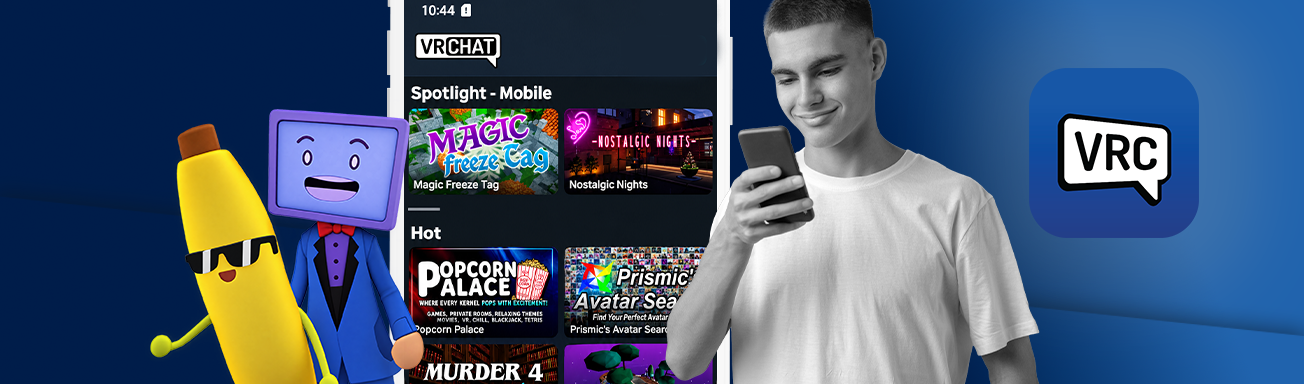
Cast your mind back to the late ‘90s and 2000s, and to the open chatrooms that were so prevalent in the early days of the internet. Accessed through Yahoo or AOL, for example, these rooms were organized by topic or age, and anyone could stroll in and strike up a conversation.
VRChat pulls these old-school chatrooms into the modern day – using virtual reality hardware, such as a Meta Quest headset, VRChat allows you to embody a 3D avatar, walk around virtual, user-generated worlds, and talk to others using your real voice.
The ability to socialize with like-minded people and communities, and to express themselves with custom avatars, are just a couple of reasons why the platform is so popular among teens. But parents need to know that VRChat is reminiscent of the “Wild West” days of the internet – it allows users as young as 13 to walk around user-generated worlds where they can easily end up talking with strangers of any age.
In this parent’s guide to VRChat, we’ll go through the risks, and give you our recommendations so you can decide whether the platform is right for your teenager.
What can teens do on VRChat?
VRChat is free to download and play, and users must be 13 or older to join. However, there’s no mandatory age check, so younger children can sign up simply by entering a fake date of birth. While the platform is designed for virtual reality, teens don’t need a VR headset to use VRChat – they can join conversations from a Windows PC or a smartphone.
Teens use VRChat to:
- Hang out and socialize. Teens, as their avatars, meet friends in virtual rooms and chat with their real voice. The experience is much like a group video call with more freedom to move around.
- Explore user-made worlds. There are thousands of worlds to visit, from cities, beaches, and cozy cafés to fantasy landscapes, and recreations of places from movies and games. Tech-minded teens can use VRChat’s creator tools to build their own worlds, which involves 3D modeling, design, and coding.
- Play mini-games. Many worlds have built-in games for groups of friends to play, such as puzzles, hide-and-seek, escape rooms, bowling, racing, and quizzes.
- Create and customize avatars. Self-expression through avatars is a big part of the appeal for teens. They can choose from huge libraries of avatars or design their own, from realistic humans to anime characters, animals, or robots.
- Attend events. On the platform, VRChat hosts live music shows, DJ sets, dance parties, comedy nights, role-play sessions, and community meetups.
- Watch videos together. Some worlds have virtual cinemas or screens where friends can watch YouTube videos or streams together.
- Join groups and communities. Teens can meet like-minded people by joining groups based on shared interests, such as gaming, or fandoms.
Avatars allow users to explore and express their identity, including their gender, in ways that feel right to them – for those who feel marginalized in their “real” life, VRChat can be a safe haven.
Sign language is possible in VRChat, and communities such as the Helping Hands Community teach sign language and promote awareness of Deaf culture to the VRChat population.
Another notable subsection is “mutes” – users who don’t talk, even when spoken to directly. Being mute isn’t seen as negative on VRChat, and these users are welcomed to meaningful interactions through gesticulation or writing. Without the pressure of having to talk, it makes it easier for users with social anxiety, muteness, gender dysphoria or deafness, to socialize.
VRChat: The risks
While VRChat allows many teens to socialize, express themselves, and find their communities, there are red flags that parents should be aware of:
Interactions with strangers
Many worlds in VRChat are public, so anyone can join and teens can easily end up talking with people they’ve never met from anywhere in the world. While many encounters can be positive, it’s always a red flag when children can readily mix with adults.
VRChat doesn’t require users to prove their age, which makes it easy for adults to pose as peers. Avatars can look youthful or cartoonish regardless of who’s behind them, and voice changers can disguise a person’s real voice. Voice chat can also be a risk in itself. Talking out loud feels more personal than typing, so conversations can become friendly very quickly, and unlike text messages, they leave no record behind.
Inappropriate content
Like on Roblox, worlds are user-made, with little moderation, so teens may come across sexual, violent, or otherwise mature content, as well as adult-themed events. Avatars can also be made explicit.
In an investigation into VRChat, a BBC News researcher visited virtual-reality rooms, including strip clubs, where avatars were “simulating sex”. She was also shown sex toys and condoms, and approached by numerous adult men.
Harassment and bullying
Teens can be exposed to bad language, hate speech, and bullying from people they know as well as from strangers. The combination of live voice chat and the feeling of physical closeness can make aggressive behavior feel far more intense.
Sharing personal information
A teen’s voice can reveal their age, and in flowing conversations, it can be easy to let slip personal details such as their real name, school, or location.
In-app purchases
While VRChat is free to download and use, there are several ways teens can spend real money on it, and the costs can add up. These include a VRChat Plus subscription, which gives users extras such as more avatar favourites, custom profile pictures, and a supporter badge; and purchasing VRChat Credits to spend on items such as avatars, accessories, and special perks from creators and groups.
Because purchases are made with Credits rather than directly with cash, it can be easy to lose track of how much has actually been spent. Teens may also feel peer pressure to buy unique avatars and accessories in order to fit in.
Excessive screen time
The immersive, social nature of VRChat can make it easy for teens to lose track of time and break screen-time rules, especially during late-night events and fun interactions. Too much time on screens can impact their sleep, mood, and performance at school.
5 ways to make VRChat safer for teens
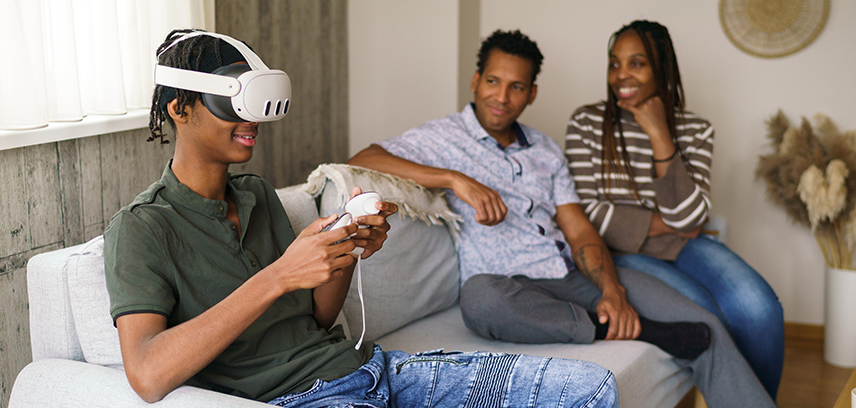
VRChat offers lots of opportunities for teens to socialize and find a sense of community, and the immersive, 3D worlds makes it even more engaging. From a safety point of view, however, the platform leaves a lot to be desired. As there are no inbuilt parental controls, and there’s a high potential for stranger contact and exposure to inappropriate content, we’d recommend pushing the “13+” label VRChat has established for teens (which is more to do with data privacy than real risk) to 16.
If your teen is already using VRChat, or they’ve heard friends talking about using it and are curious, open up the conversation with them and make sure they’re aware of the risks. Establish some ground rules and work together with your teen to encourage safe, responsible use:
1. Use the app together
The best way to understand the risks, and the appeal, of VRChat is to try it for yourself. Don a VR headset if you have one, and wander through the worlds and see how avatars are interacting with one another. Asking your teen about their avatar, friends, and favorite communities helps open the door for conversation, and may make it easier for them to come to you if they encounter a problem.
2. Adjust the safety settings
Through VRChat’s Safety menu, you can control what your teen sees and hears from others, including whether strangers’ avatars, voices, and animations are shown. Setting this to a higher level, such as “Maximum,” limits what unknown users can display. The “Personal Space” feature can also hide avatars that get too close. You’re best going through these settings with your teen and talking about why they’re important – this makes it less likely they will change them without you knowing.
3. Use friends-only and invite-only spaces
Teens are much more likely to be exposed to strangers in large, public worlds, using friends-only and invite-only spaces limits who they interact with. Setting their status to “Ask Me” or “Do Not Disturb” also limits who can join them uninvited.
4. Check they know how to block, mute, and report
Make sure your teen knows how to quickly mute or block anyone who makes them uncomfortable, and how to report them to VRChat. Blocking someone makes them disappear from view – which is often the fastest way to end an unpleasant encounter. Encourage them to leave a world straight away if something feels wrong.
5. Use parental controls
VRChat doesn’t have in-built parental controls – but you can have some peace of mind by using a comprehensive parental control app like Qustodio. With Qustodio, you can:
- Set screen time limits specifically for VRChat
Get an overview of the time they spend on the app
Block the app from being opened
Pause the internet at the touch of a button.
VRChat brings chatrooms into the virtual reality age. Using a VR headset (or without), you can explore user-generated 3D worlds as an avatar and chat to others with your real voice. For many teens, VRChat is a gateway to meeting people, finding communities, and expressing themselves – but parents need to know the risks, including meeting strangers, inappropriate content, and bad language.
VRChat can be used by teens as young as 13, but we recommend waiting until they’re at least 16 before they start exploring its worlds and communities, and even then, with clear boundaries and rules in place to help them socialize safely.

